How to use the buylist
Post buy offers for cards you want, or sell your cards instantly by accepting an offer — including instant settlement for cards already stored at HiMarket.
Last updated: 2026-07-24
The buylist flips the marketplace around: buyers post the price first, and sellers accept with one tap. It works from both sides — this guide covers each in turn.
As a buyer: post an offer for a card you want
- Open the card page and find the "My Buy List" section.
- Click "Add this version to buy list", pick the exact language, condition and finish, and how many copies you want (1–20).
- Set your offer (HK$12–99,999) — this is the store credit the seller receives in full. Ratio presets (x6.5 / x7.5 / x8.5 / x10 of the US reference) help you land at a level sellers will actually take.
- Confirm. The offer is live immediately, free to create and free to cancel, and you can run up to 50 active items.
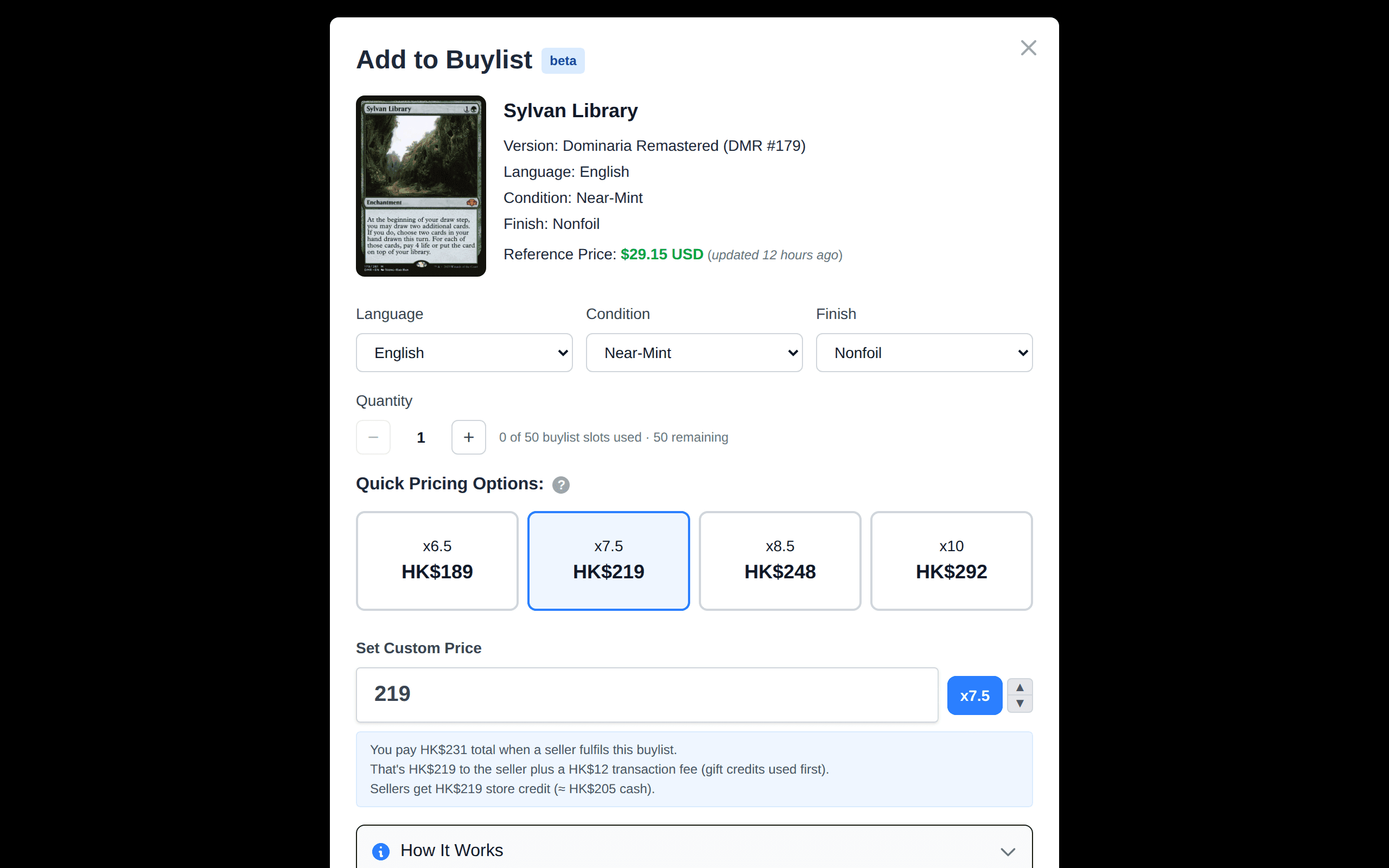
When a seller accepts, you pay your offer plus a HK$3 + 4% transaction fee on top (example: HK$100 offer → you pay HK$107, the seller gets HK$100). Keep enough store credits to cover your offers, or they temporarily go inactive.
As a seller: accept an offer with Sell Now
Open a card you own and check "Currently Buying" — every active offer is listed with the store credit you would receive. Store credit is worth about 6% more than the cash equivalent (there is no cash-out fee if you spend it on cards).
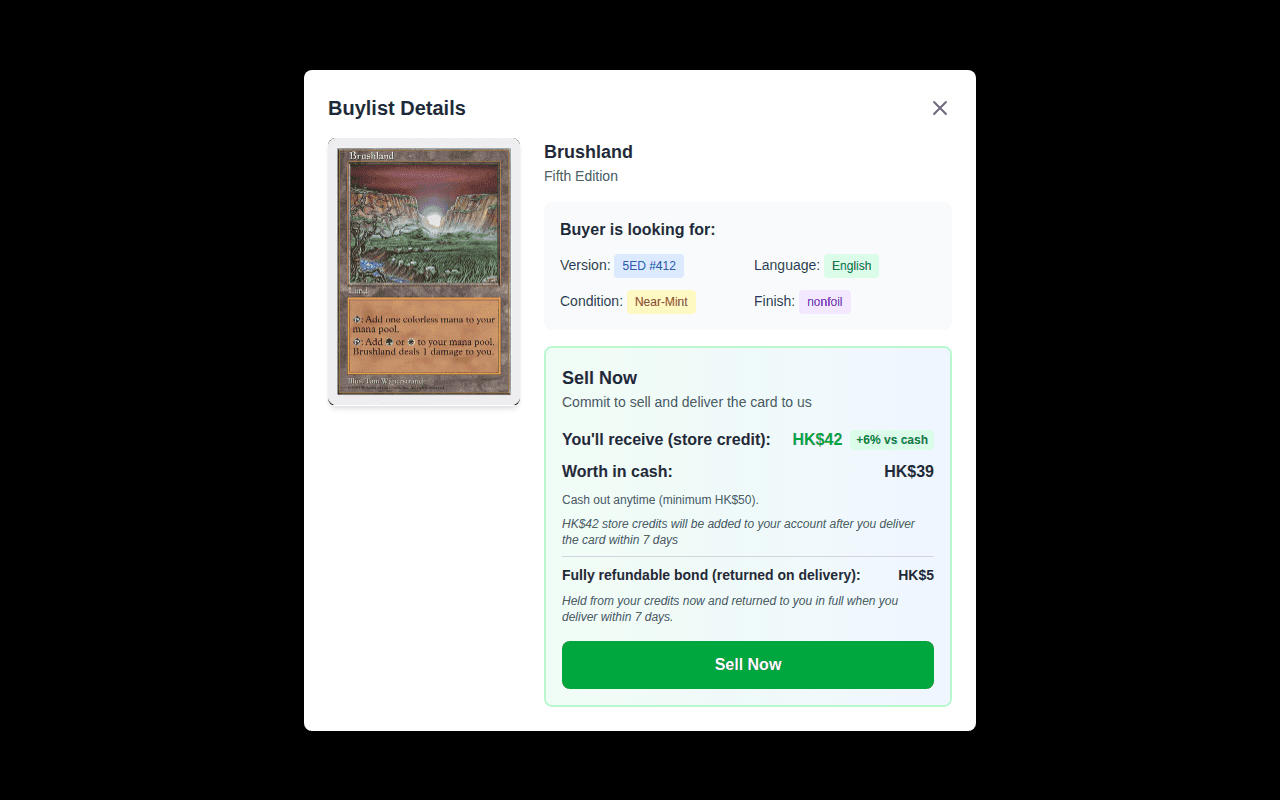
Click Sell Now and the sale executes immediately at the offer price. What happens next depends on where your card is:
- Card already stored at HiMarket — instant settlement: the card transfers to the buyer and the full offer lands in your account right away. No bond, no delivery, nothing else to do.
- Card at home — you commit to deliver within 7 days. A fully-refundable commitment bond (equal to the HK$3 + 4% fee) is held when you accept and returned in full once staff verify your delivery — you end up with the full offer, and the buyer paid the fee.
On the delivery path, missing the 7-day deadline forfeits the bond and refunds the buyer — only hit Sell Now on cards you can actually bring in.
Why the buylist is worth watching
- Sellers: it is the fastest sale on the platform — no waiting for a buyer, and no fee taken out of your payout.
- Buyers: hard-to-find cards come to you instead of you refreshing the marketplace.
- The homepage "Latest Buylist" section and each card page show live offers, with deal badges from x7.5 (good) to x10+ (hot).
Common questions
Who pays what when a buylist is fulfilled?
Your offer is the store credit the seller receives in full. As the buylist owner, you pay your offer plus a HK$3 + 4% transaction fee on top when the offer is fulfilled. No fee is deducted from the seller.
Worked example (offer HK$100)
- You pay: HK$107 (HK$100 offer + HK$7 fee)
- Seller receives: HK$100 store credit — the full offer
- HiMarket keeps: the HK$7 fee
The offer itself is paid from your store credits; the fee is charged to gift credits first, then store credits. Buylist pages show "you pay offer + fee" before you confirm, so there are no surprises.
Why is my buylist item marked inactive?
A buylist item is hidden from sellers when you cannot fund it: you need enough store credits to cover the offer plus enough credits (gift first, then store) to cover the fee. Top up your credits or lower the offer to reactivate it — see Credit requirements & inactive listings.